

Using the CLI
Using the detect command
Beginning in Ouster SDK 1.0, the Ouster CLI has the detect command, which instantiates and runs a
DetectionEngine, which adds objects to each frame in the provided source. The detect command is meant to precede
a consuming command, such as save or viz. For example, to run the default DetectionEngine on a source and
save the resulting objects to an OSF dataset, run
ouster-cli source {OSF_FILE} detect save {OUTPUT_OSF_FILE}
Visualizing objects
ouster-cli will visualize objects saved to an OSF dataset by default.
ouster-cli source {OSF_FILE} viz
When running a command like the above, the objects in the OSF will appear as translucent wireframe cuboids. The following is a screenshot of the visualizer displaying objects from an annotated dataset:
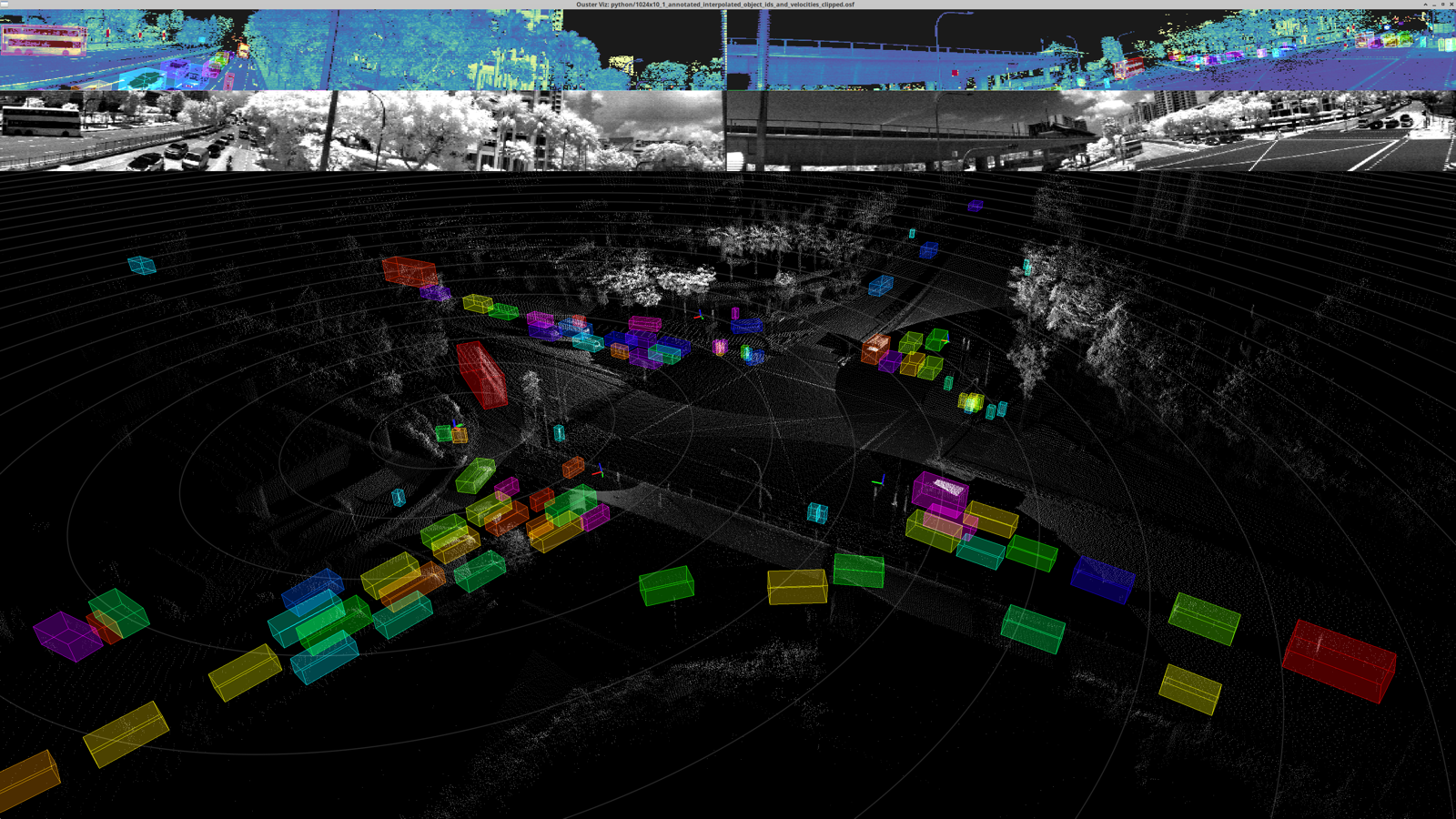
A screenshot of the Ouster CLI visualizer showing objects from an annotated dataset.