Security Hardening
Restricting OAuth Redirect URIs
Restricting the OAuth redirect URIs for the detect-client Keycloak client to
your organization’s known, trusted domains is a security best practice. It
prevents an authorization code from being redirected to an untrusted location
during login. By default, the detect-client allows any redirect URI; before
deploying to production, restrict this to the explicit domain(s) your Gemini
Detect instance is served from.
To restrict the redirect URIs, open the Admin Console (see Admin Console) and:
Navigate to Clients.
Select detect-client.
Open the Settings tab.
Under Access settings, find Valid redirect URIs.
Replace the wildcard (
*) with the explicit URL(s) for your Gemini Detect instance, for examplehttps://<your-domain>/*.Click Save.
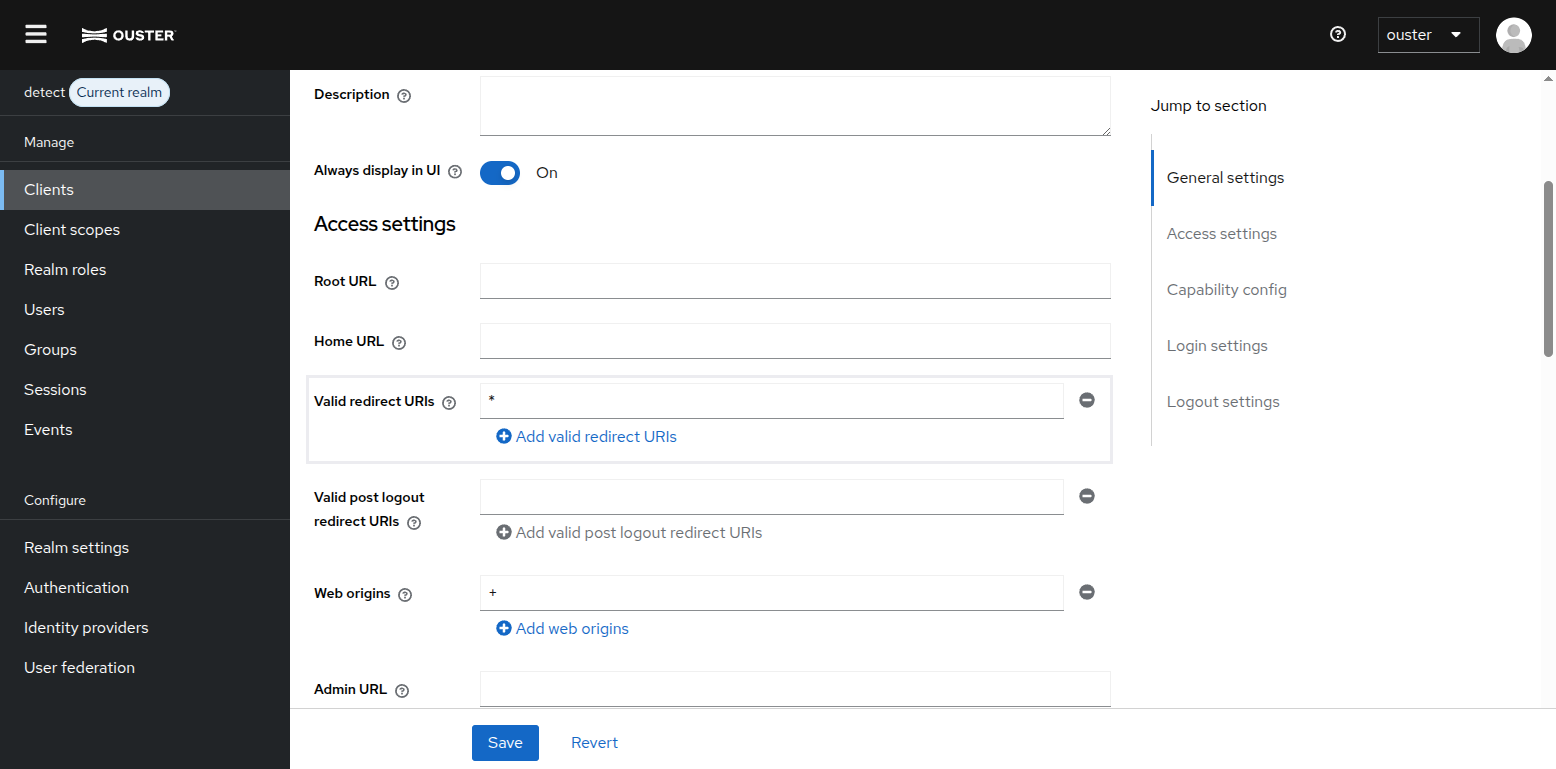
Valid Redirect URIs
Setting Up Multi-Factor Authentication (TOTP)
Enabling time-based one-time password (TOTP) multi-factor authentication adds a second layer of protection beyond a password, and is recommended for all accounts, especially admins. TOTP can be set up at any time from the Account Console — it does not need to happen during first login.
To set up TOTP, open the Account Console (see Account Console) and:
Navigate to Account security > Signing in.
Under Two-factor authentication, select Set up Authenticator application.
Install an authenticator app on your mobile device (for example, Google Authenticator, Microsoft Authenticator, or FreeOTP) and scan the displayed QR code with it.
Enter the one-time code generated by the app, optionally provide a Device Name, and click Submit.
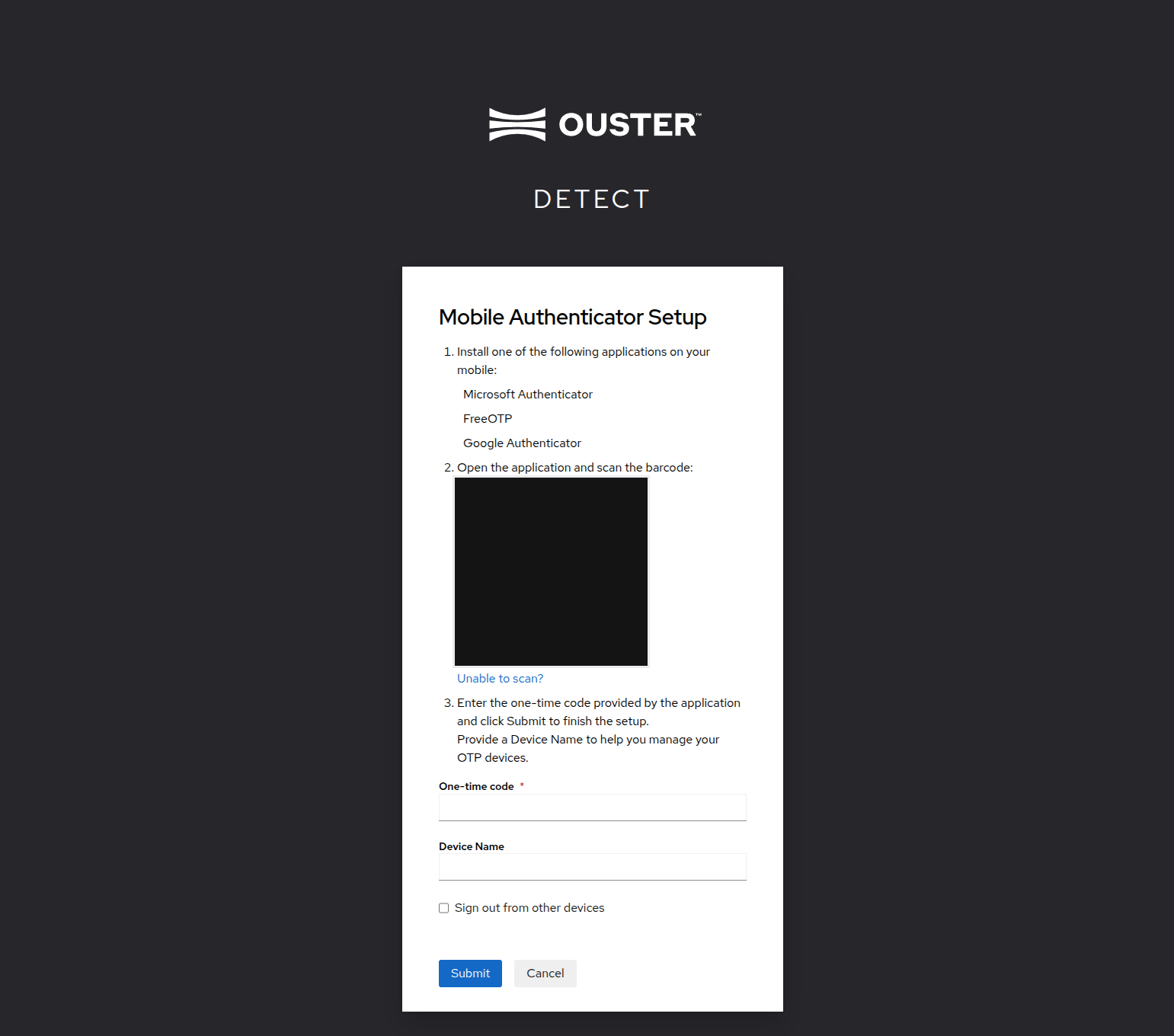
Setting Up an Authenticator Application