

Introduction to Ouster Digital Lidar
Ouster is building digital lidar sensors for autonomy in the Industrial, Smart Infrastructure, Robotics, and Automotive markets.
Technical Documentation
The Ouster sensor documentation is meant to allow the users to take advantage of all the features that are available with Ouster Sensors.
Sample Data
All Ouster sample data is provided under the CC BY-NC-SA license, whether obtained through the links below or from the Ouster website.
Visualize recorded data:
Each link opens the recording in the Ouster Data App, where it can also be downloaded from the Download tab in the top right corner of the screen.
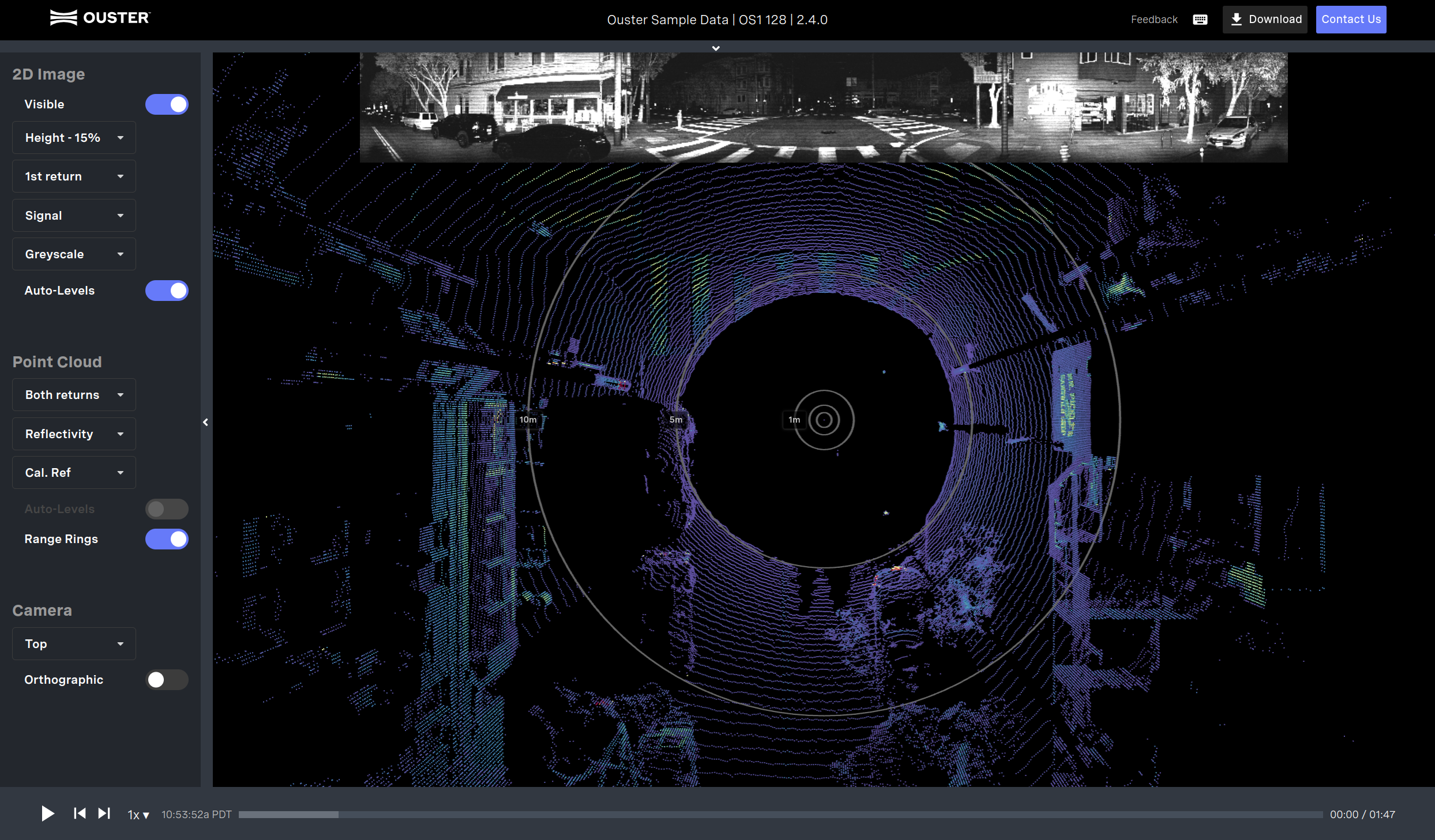
Ouster presents sample data collected on the latest released firmware. If you need sample data for a particular firmware version, please contact Ouster’s team.
Visualizing and Interacting with an Ouster Sensor
Once the sensor is connected, you can visualize the point cloud using the Ouster SDK or Ouster Studio. Both are available for Linux, macOS, and Windows. Visit Ouster Resources for the latest tools to visualize your sensor’s output.
Ouster SDK
The Ouster SDK provides a high-level interface for interacting with sensor hardware and recording sensor data, suitable for prototyping, evaluation, and other non-safety-critical applications. Example and reference code is provided for several common operations on sensor data. The SDK includes APIs for:
- Querying and setting sensor configuration
- Recording and reading data in pcap format
- Reading and buffering sensor UDP data streams reliably
- Frame-based access to lidar data as numpy datatypes
- Conversion of raw data to range, signal, near-IR, and reflectivity images (de-staggering)
- Efficient projection of range measurements to Cartesian (X, Y, Z) coordinates
Ouster Studio
Ouster Studio is an application provided by Ouster to visualize, record, and analyze data from Ouster lidar sensors. It performs real-time visualization, processing, and recording of live 3D lidar data captured from Ouster lidar sensors, with official support for Windows, macOS, and Ubuntu.